Process Optimization with AI: Automated Creation of Business Documents
Orders, delivery notes, and invoices often arrive as PDF files or via email and are then manually entered into the ERP system. With AI, these steps can be automated and significantly streamlined. This article explains how this works in practice and what matters most.
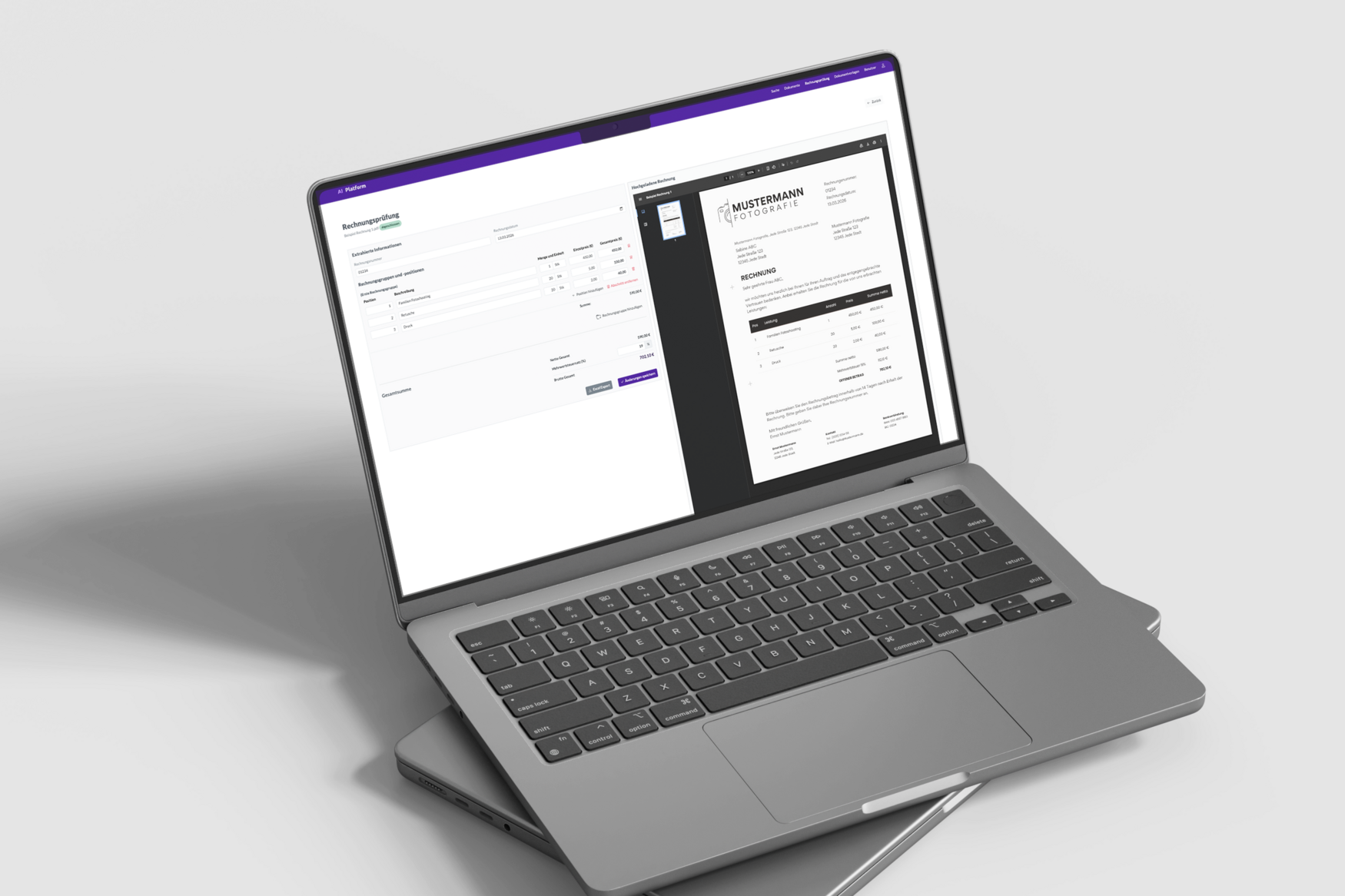

When people talk about AI today, the conversation often revolves around major upheavals. In many companies, the reality is different. The first steps rarely involve complex systems, but rather specific, manageable use cases designed to automate processes.
Because the question is usually not: What is technically possible?
But rather: Where does it make sense to reduce workload in day-to-day operations?
What are some typical use cases for AI-driven process automation?
Wherever processes are repetitive and follow specific rules or structures, there are concrete use cases for AI.
Examples of useful scenarios include:
- AI chatbots
Users are supported in finding information or solving problems. An example from our day-to-day project work is the AI chatbot for Studyflix that we developed. - Document analysis
Content from orders or delivery documents is extracted, made searchable, and transferred into the Enterprise Resource Planning (ERP) system. - Digital invoice validation
Invoices are automatically analyzed and verified.
In this article, we focus specifically on process automation with AI in the context of document analysis and automated invoice validation, and explain why these use cases are particularly suitable and what requirements apply.
What types of business documents can be processed using AI?
AI can be used to extract, structure, and transfer many recurring business documents into the ERP system.
Documents that are particularly well-suited for this are those with similar content structures but different layouts. These include, for example:
- purchase orders,
- order confirmations,
- delivery notes,
- complaint documents,
- or service reports.
The common denominator is not the type of document, but the problem behind it. The information is available, but it still needs to be manually transferred to the target system. AI then helps not only with reading individual fields, but also with transferring the document and classifying it appropriately.
Invoices are also included, because manual verification and transfer are time-consuming.
Why use AI for digital invoice validation?
Digital invoice validation is a good use case for process automation with AI because it automates a clearly structured process that takes up a lot of time for some companies.
The starting point is usually similar:
- Invoices arrive via email or mail
- Content is checked manually
- Data is entered into the system
- Approvals are handled separately
A significant amount of time is spent manually transferring all invoice values into an Excel sheet or the ERP system to total the line items and reconcile them with the specified grand totals.
The same verification steps are performed repeatedly and are therefore reproducible. This is where AI-driven process automation becomes particularly useful.
How does AI transfer documents to the ERP system?
Documents are uploaded as PDFs or images and then analyzed and structured by an LLM (Large Language Model).
The process can be broken down into four steps:
1. Data extraction from the document
- PDF/photo is scanned
- Content is recognized (e.g., amounts, quantities, line items, the client, invoice number)
2. Interpretation by an LLM
- Relevant information (e.g., net and gross amounts) is recognized
- Different layouts can be processed
- Items are correctly assigned
- Even handwritten changes added later are identified by the AI
3. Decision or error message
- Approved if it matches
- Flag if there is a discrepancy
- Forward to staff if there is uncertainty
- Identified items can be exported
4. Validation and final system integration
- Data is automatically reconciled with master data in the ERP system (e.g., matching supplier numbers or project codes)
- Final posting or creation of the data record in the target system
- Archiving of the original document in accordance with compliance guidelines

What does AI document analysis require?
AI-powered document analysis works best when data is available, processes are clearly defined, and systems can be integrated.
In practice, we focus on three key points:
- Data availability: The most important foundation is access to PDFs and the relevant data sources. Without this foundation, the benefits remain limited.
- Clear business logic: The AI must know which logic to follow, for example, regarding required fields, mappings, and plausibility checks and when a deviation occurs that needs to be escalated. This logic does not emerge automatically but is defined in collaboration with the business department.
- Technical integration: The results of the check are fed into the ERP system to ensure the process remains seamless.
How much effort does AI document analysis require?
Maintaining a digital document analysis system is manageable if the system is well-structured. Many of the underlying elements rarely change.
It’s worth distinguishing between stable and variable factors:
Remain stable:
- basic document structure
- typical validation logic
- data sources
Change over time:
- different layouts
- process adjustments
- new suppliers
One advantage of LLMs is their flexibility. They can handle new formats without having to redefine each variant individually—unlike traditional rule-based systems. So when processes change slightly and new suppliers are added, AI can adapt without issue.
The ongoing effort is therefore generally significantly lower than the manual processing effort required previously.
What are the benefits of AI-powered ERP integration?
AI-powered transfer of PDFs and emails into the ERP system reduces manual effort, speeds up processes, and improves data quality.
Key benefits:
- Less manual work: Routine checks run automatically
- Fewer errors: Checks are performed consistently
- Faster turnaround times: Documents are processed directly
- Better scalability: Growth does not automatically lead to more effort
AI-powered processing thus directly contributes to efficiency and quality, while ensuring that the investment in an LLM often pays for itself quickly through time savings and reduced manual effort.
Conclusion: When does AI pay off for document analysis?
AI is a worthwhile investment for handling business documents whenever data is regularly extracted from PDFs or emails and manually transferred to your internal systems.
AI process automation delivers the most value:
- processes are clearly structured
- data is available
- manual work dominates
Process optimization with AI demonstrates how existing workflows can be improved without having to completely rethink them. Companies that take this approach quickly reduce the workload while simultaneously laying the groundwork for further applications.